There are two directions this can go — a training run got wrongly flagged as a race, or a genuine race wasn’t picked up — and a couple of ways to fix either.
If the pipeline already flagged something race-like but wasn’t sure: check the Race Predictions (trend) chart. Confirmed races show as a solid dot; races the pipeline inferred from your effort (pace, heart rate — and power, if you run with a pod) but has no Strava tag or event name for show as a hollow ring, with the legend “inferred from effort — click a dot to confirm or fix.” Tap that dot twice (or hover and click on desktop) to open the Edit Metadata panel, pre-targeted at that run. You’ll see two buttons, [Yes — a race] and [Not a race] — pick one, then press Save. The dot updates after the next pipeline run, roughly 30 minutes.
There’s also a review_races.txt file written to your user_data/ Dropbox folder after each classification run — it lists runs that matched a race distance but were slower than predicted and had no Strava Race tag, so got classified as training. It’s for your reference only (it gets overwritten each run) — if you spot a genuine race in it, fix it the same way: via the hollow-dot workflow above, or by editing the activity’s Workout Type on Strava directly.
For direct correction on any run (not just the inferred ones): turn on  Edit mode near the top of your dashboard, and pencils appear next to editable items on race cards, Recent Runs, Top Race Performances, Personal Bests, achievements and milestones. Tap a pencil to open the edit modal, where you can promote a missed race or demote a false positive, along with surface, official distance, the parkrun flag, course difficulty, activity name, and shoe. Edits batch up — Save applies everything pending at once.
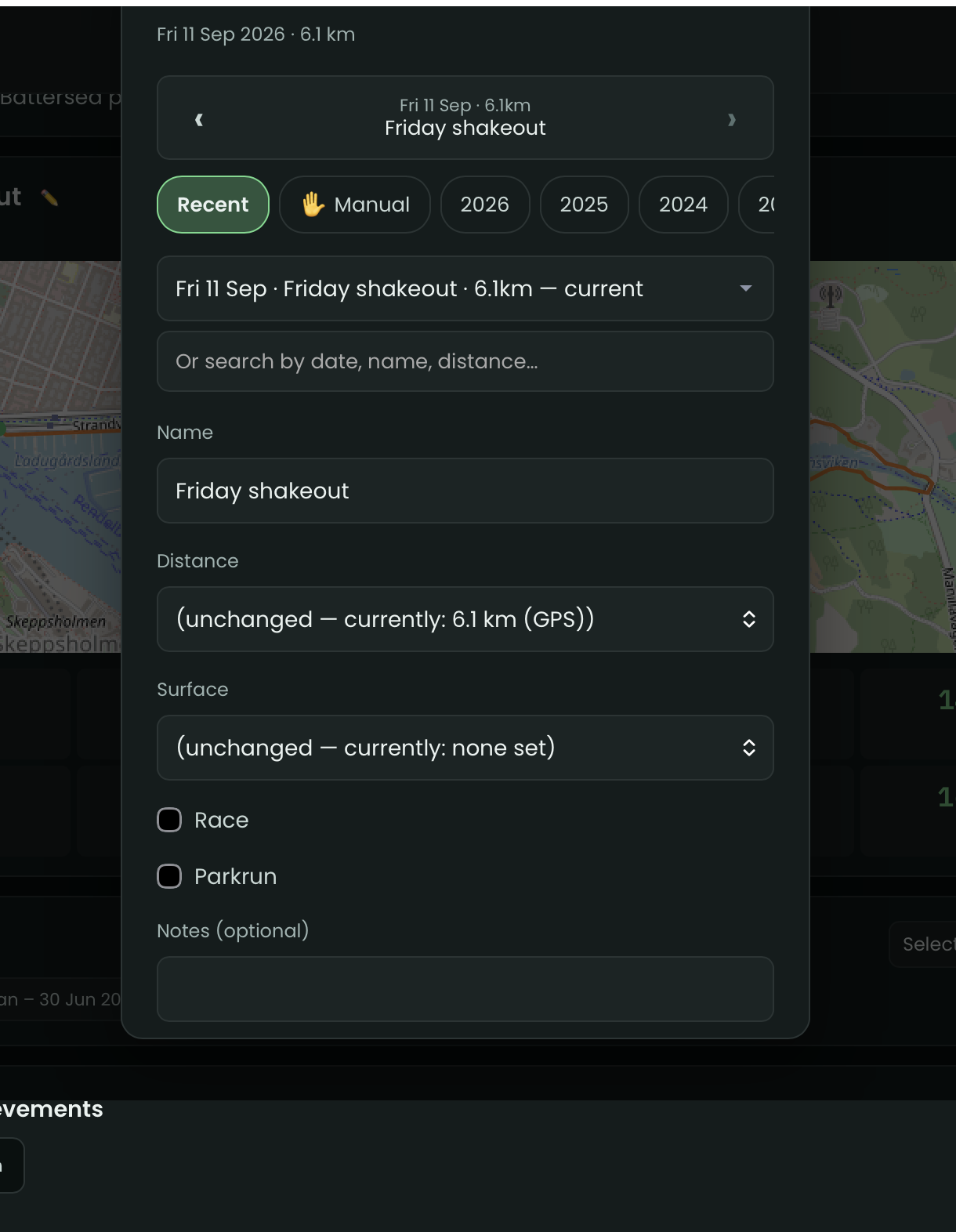
Either way, your edits always win over Strava going forward — if Strava’s own data changes later, your tag and name persist. Changes land on your dashboard in roughly 15–25 minutes.
If you don’t use Strava’s own race-tagging, this hollow-dot workflow is the recommended way to build up your race history over time — you don’t have to keep going back to Strava.
Full explanation: Editing Run Details and Race Predictions (trend) in the guide.